
On iPhone & Android

Your gym log and food diary, together.

For UK lifters who want workouts, calories and protein in one place. Log your training and meals in one app for iPhone and Android.

Download on the App StoreGet it on Google Play
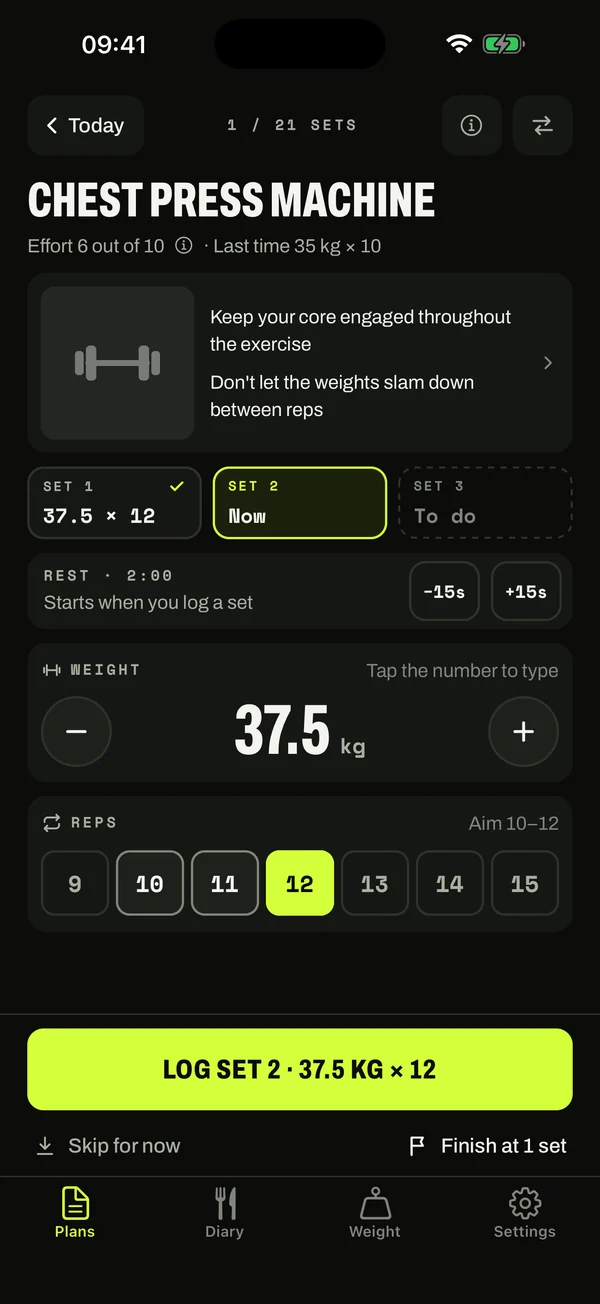
Focus mode in Lift & Nourish: chest press machine, set 1 logged at 37.5 kg for 12, set 2 ready to log, example data

One app · two habits

Your training and food, in one place.

01 · Train

Log your workouts

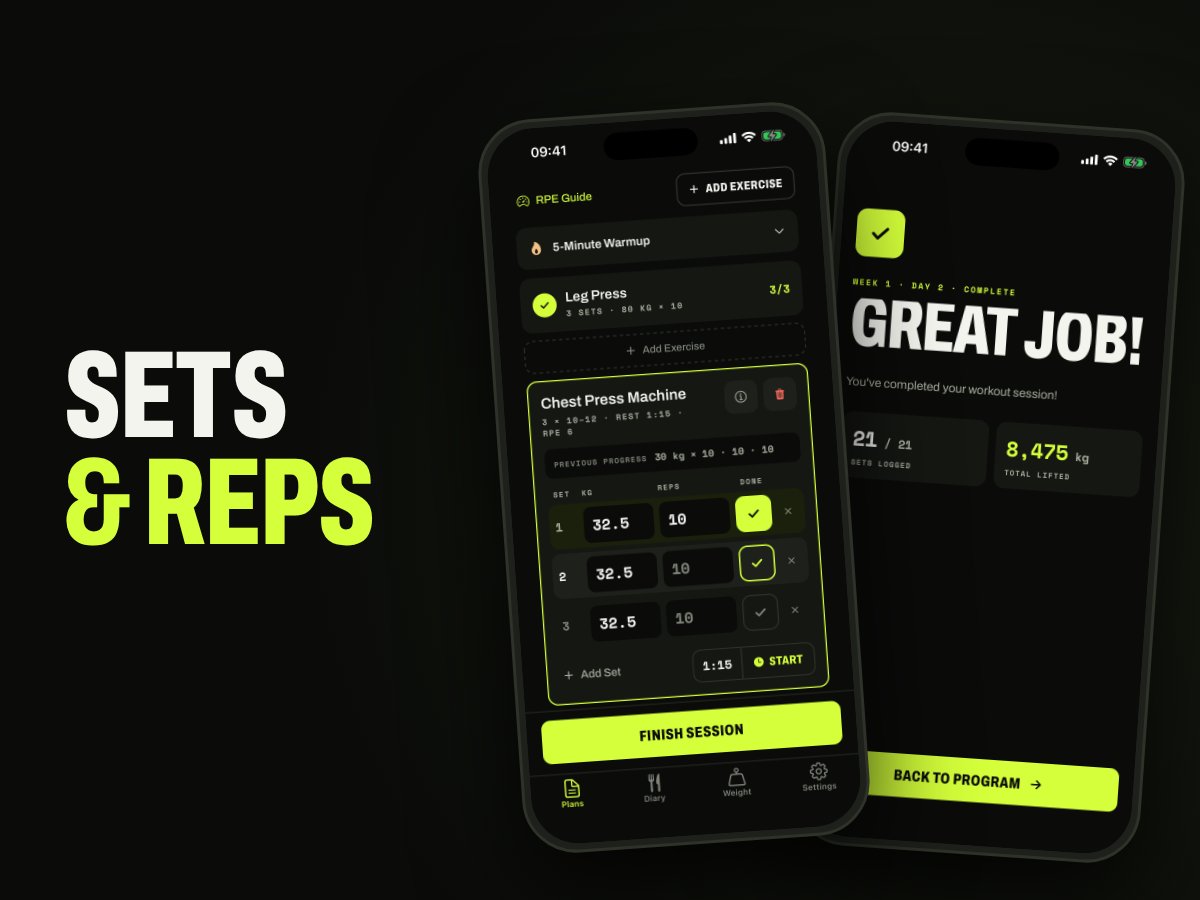
Focus on one exercise at a time. Log each set's weight and reps as you train, then reopen your saved sessions.

  • One exercise and one set at a time, with big − and + buttons for the weight
  • Tap your reps, log the set and the rest timer starts
  • Last time's weights are ready for your next session
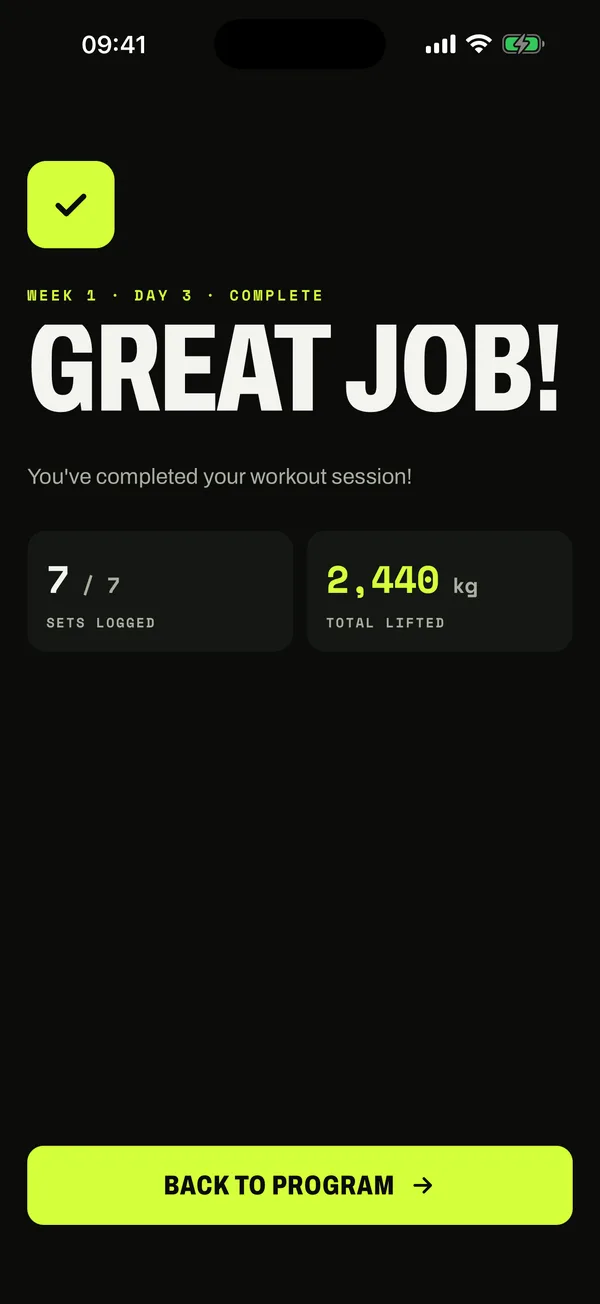
A finished session: 7 of 7 sets logged and 2,440 kg lifted, example data

02 · Eat

Track calories and protein

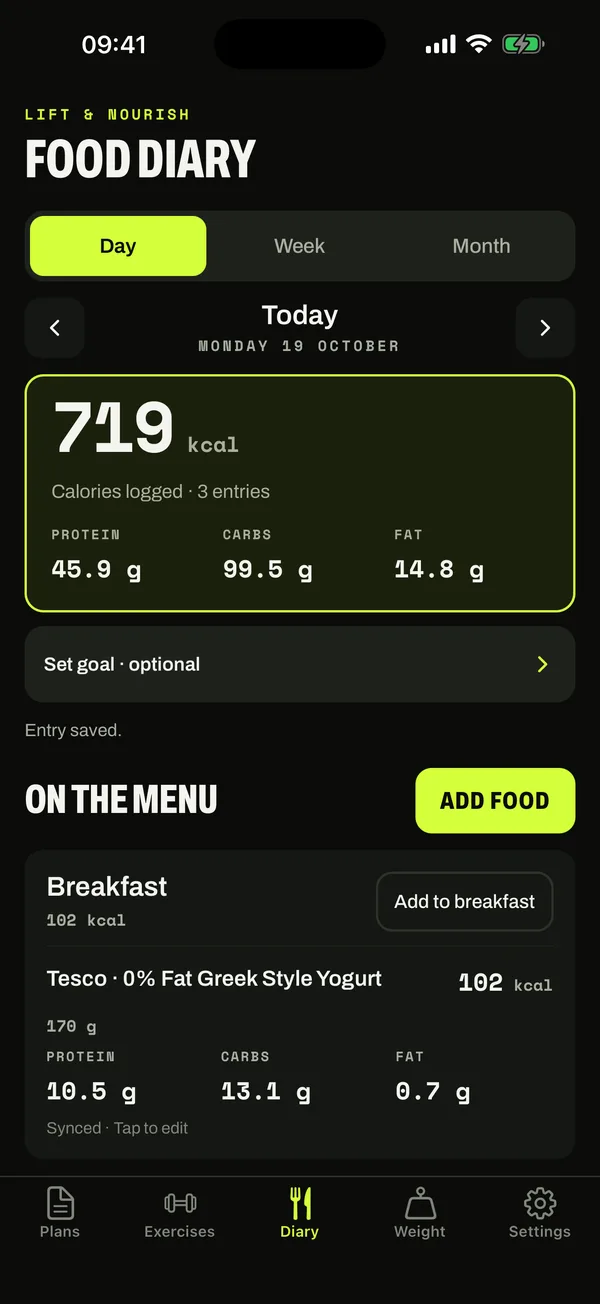
Keep meals, portions and daily macro totals together in your food diary.

  • Log breakfast, lunch, dinner and snacks
  • Calories, protein, carbohydrates and fat for your portions
The food diary with calories, protein, carbs and fat for the day, example data

03 · Plan

Plan your training

Follow a built-in program or create your own programs and exercises.

  • Beginner-friendly programmes for getting started
  • Customise sessions as you progress
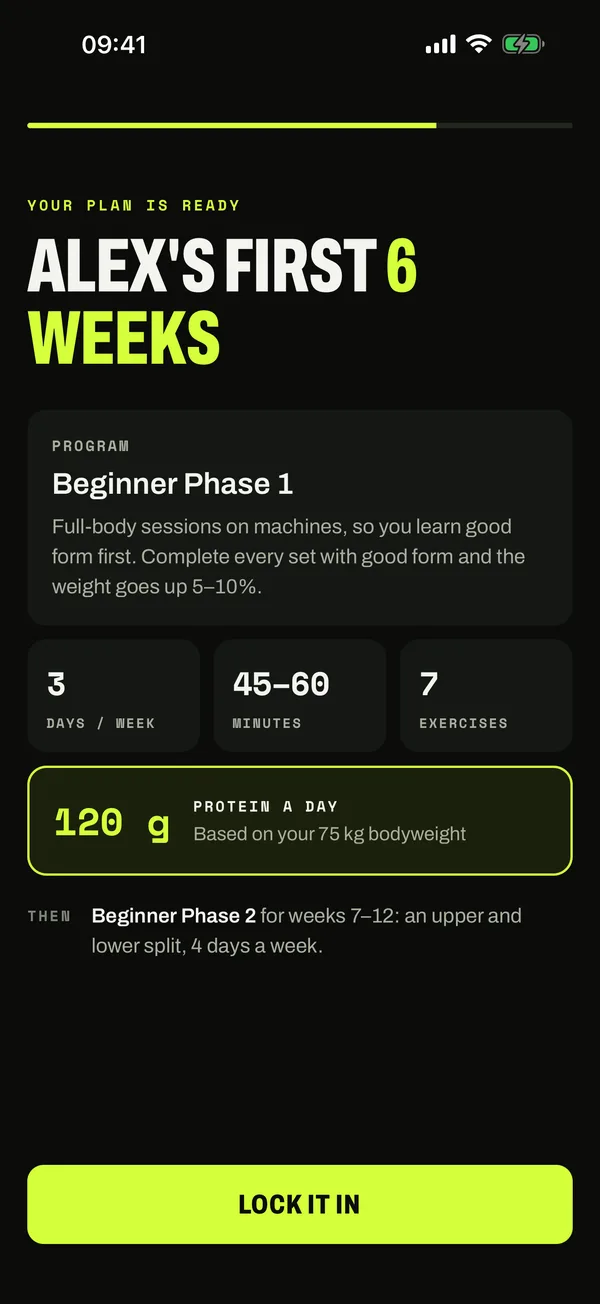
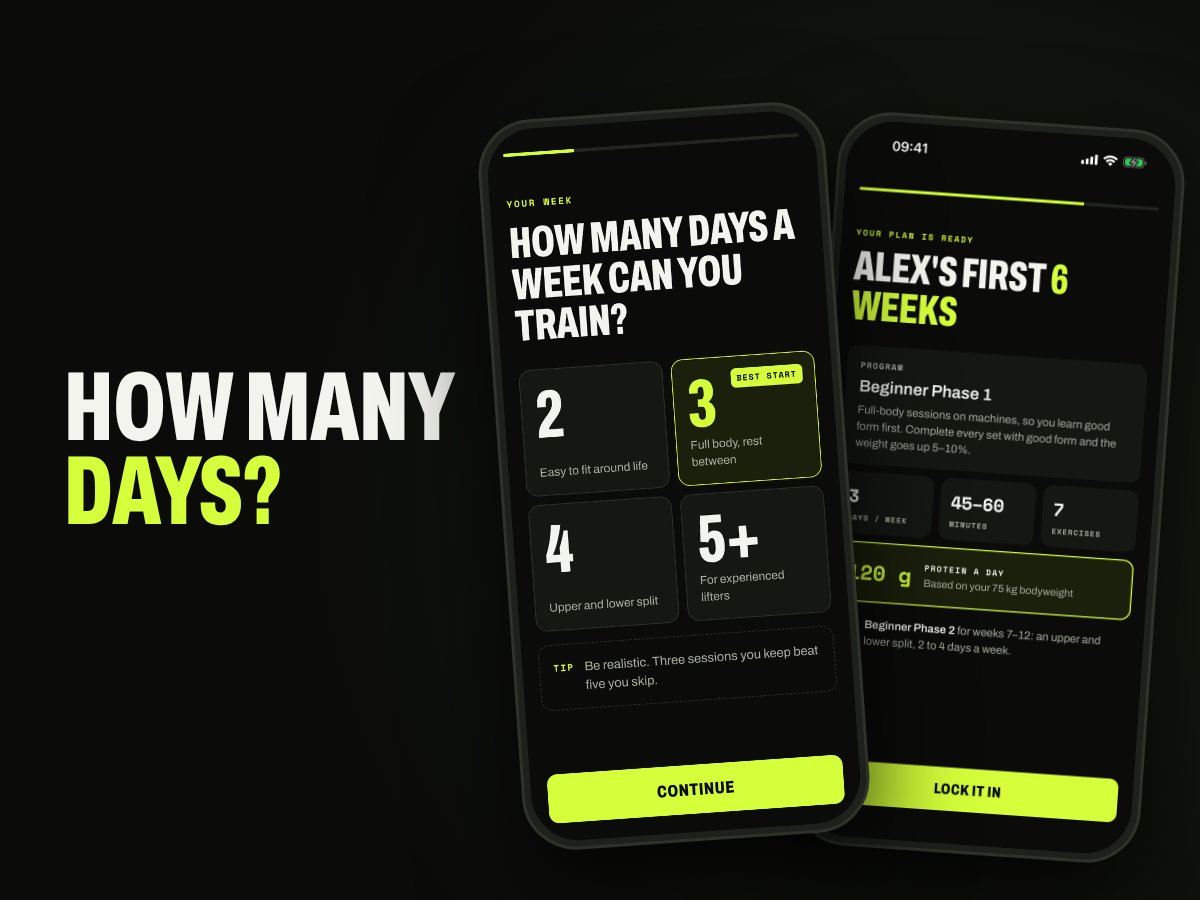
A six-week beginner plan: 3 days a week, 45 to 60 minutes, 7 exercises, example answers

04 · Search

Find your everyday foods

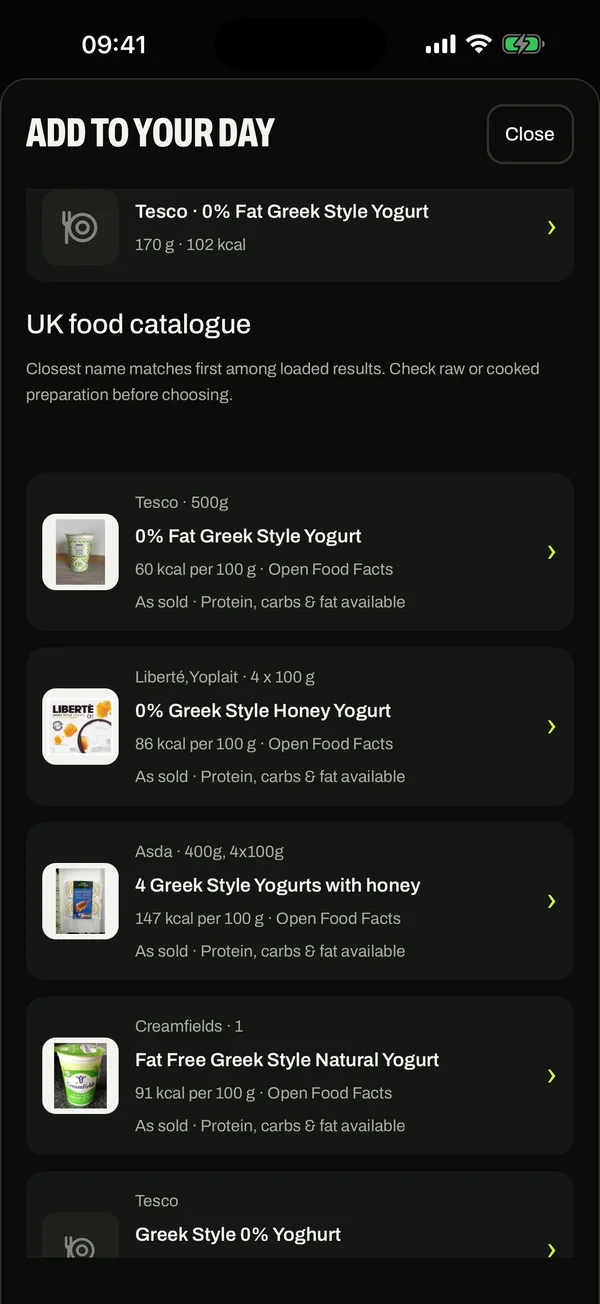
Search UK foods, edit your portions or add a food manually. Targets are optional.

  • Search UK foods or add a food manually
  • Check raw or cooked preparation before choosing
Searching the UK food catalogue for Greek yogurt

05 · Progress

See your progress

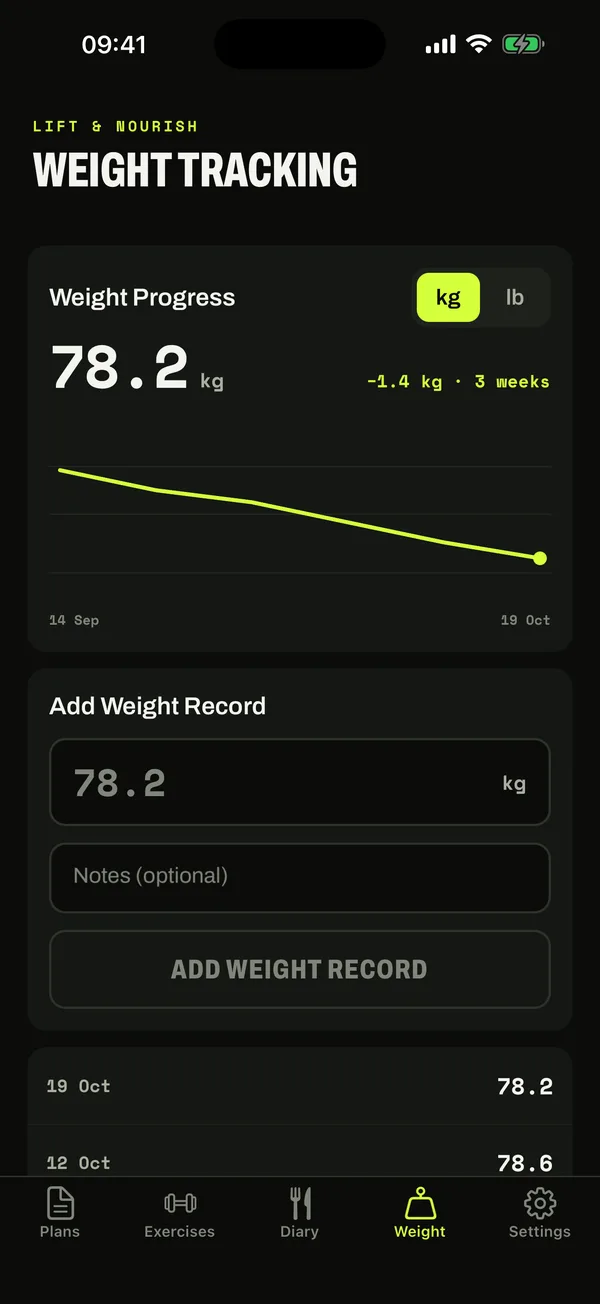
Record your body weight and see the trend over the weeks.

  • Record body weight and revisit your history
Weight tracking showing 78.2 kg, down 1.4 kg over 3 weeks, example data
Make it your own

Built-in plans and custom routines.

7-day free trial

Try Premium free on the yearly plan.

Goals are optional

Start logging without setting a target.

Ready to log your next session?

Download on the App StoreGet it on Google Play

New in the app

Warm up, lift, cool down.

The whole session, guided from your first warm-up set to your last stretch.

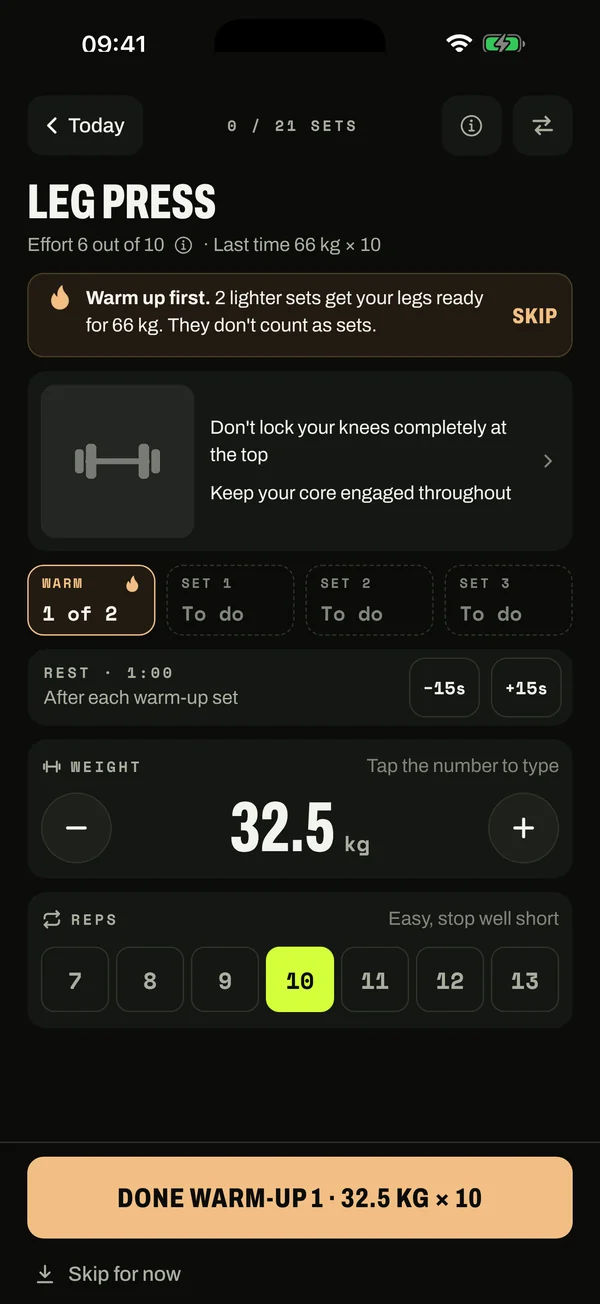
Warm-up sets

Warm up without guessing.

Your first big leg, push and pull lift of the day starts with lighter warm-up sets. The app fills in the weight and reps, so you just follow the screen. Warm-ups never count as working sets.

A leg press warm-up: warm up first with 2 lighter sets before 66 kg, warm-up 1 at 32.5 kg for 10 easy reps, example data

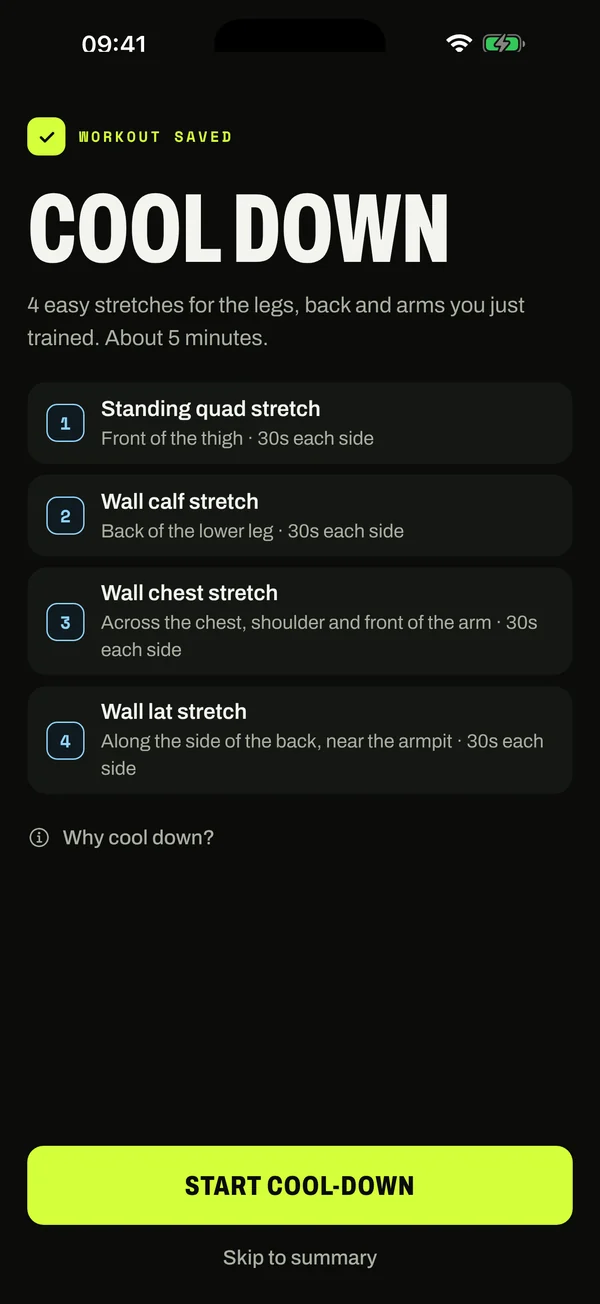
Cool-down

Finish with a cool-down.

After your last set, get 4 or 5 easy stretches picked for the muscles you just trained. About 5 minutes, one stretch at a time, with a timer for every hold. Skip it whenever you like.

The cool-down after a saved workout: 4 easy stretches for the legs, back and arms, about 5 minutes, example data

Also new: the app checks before signing you out, and Google sign-in works first time after you sign out. Screens show example data; exercise demos are in the app.

Workouts and food

From your next set to your next meal.

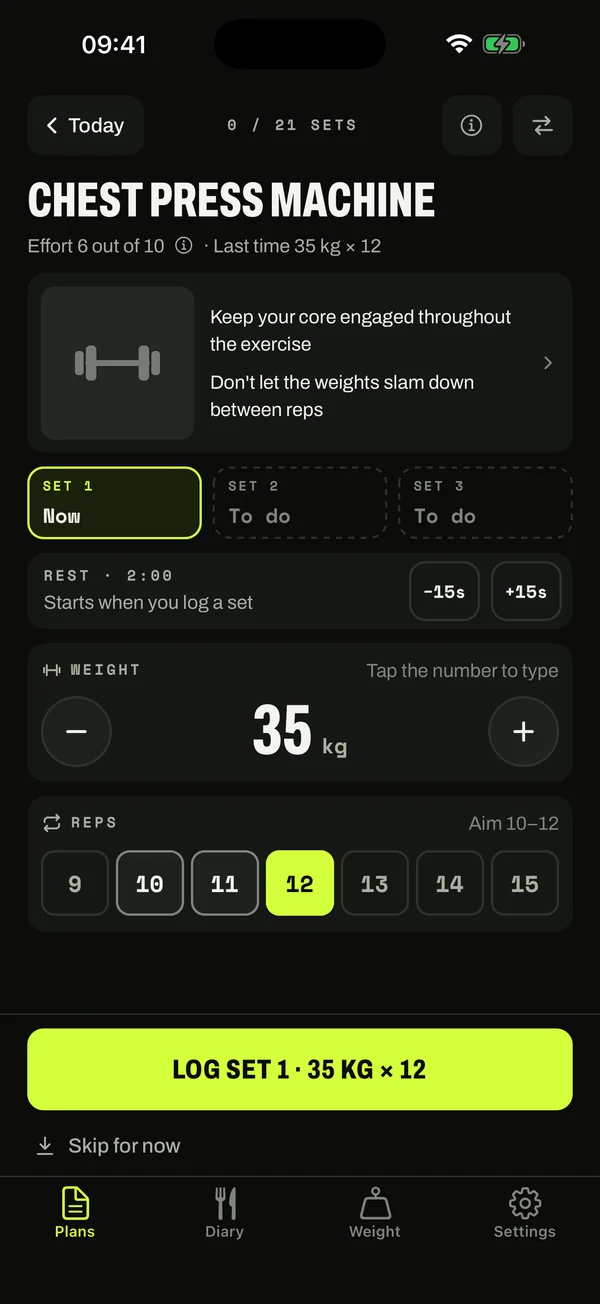
Log a set in two taps: set the weight, tap your reps, and the rest timer starts. Then find a food, check the portion and see your calories and protein in the same app.

Get the app
Focus mode: chest press machine set 1 at 35 kg for 12 reps, ready to log, example data
The food diary with calories, protein, carbs and fat for the day, example data
Real app screens · example entries

Get started

Three steps. Then lift.

  1. 01

    Download the app

    Get Lift & Nourish from the App Store or Google Play, then create an account to save your workouts and food diary.

  2. 02

    Pick a programme

    Choose a built-in programme or create a routine with your own exercises.

  3. 03

    Log your day

    Follow your workout one set at a time, from warm-up to cool-down, and log your meals. Then look back at your training history and daily food totals.

Early feedback

What friends and family say.

Anonymous comments from people we know, not store reviews.

“Great app, much cheaper than the paid calorie tracking.”
Anonymous user
“Simple to use to track my workouts.”
Anonymous user

FAQ

Frequently asked questions.

How much does Lift & Nourish cost?

Premium is £5.99 a month or £35.99 a year, and the yearly plan starts with a 7-day free trial. You subscribe, and cancel, through the App Store or Google Play.

Do I need an account?

Yes. Create an account or sign in to save your workouts, food diary and body-weight history. Calorie and macro goals are optional, so you can start logging without setting a target.

Can I create my own workout routines?

Yes. Start with a built-in program or create your own programs and exercises. Record your sets, reps and weights, then revisit saved sessions in your training history.

What can I track in the food diary?

Log breakfast, lunch, dinner and snacks, with calories, protein, carbohydrates and fat for each portion. Search UK foods, adjust the portion or add an entry manually. Review daily, weekly and monthly totals, with optional targets.

Can I use it without a connection?

Once signed in, supported workout and diary changes are saved on your device and queued to sync when your connection and session are available. Signing in and searching the online food catalogue need a connection. Check the app's sync status before relying on a change being available on another device.

How accurate are the food values?

Food values are estimates. Check the current package label, preparation state and portion before saving. You can edit your entry; missing macro values are shown as unknown rather than counted as zero.

From the blog

Strength training & nutrition tips.

Read the blog

On iPhone & Android

Start with your next workout or meal.

Download the app, start your 7-day free trial and keep your own record.

Download on the App StoreGet it on Google Play

An account is required to save your data. Goals are optional.